
Mac app switching
How to get a better Command-Tab on a Mac
The quick answer
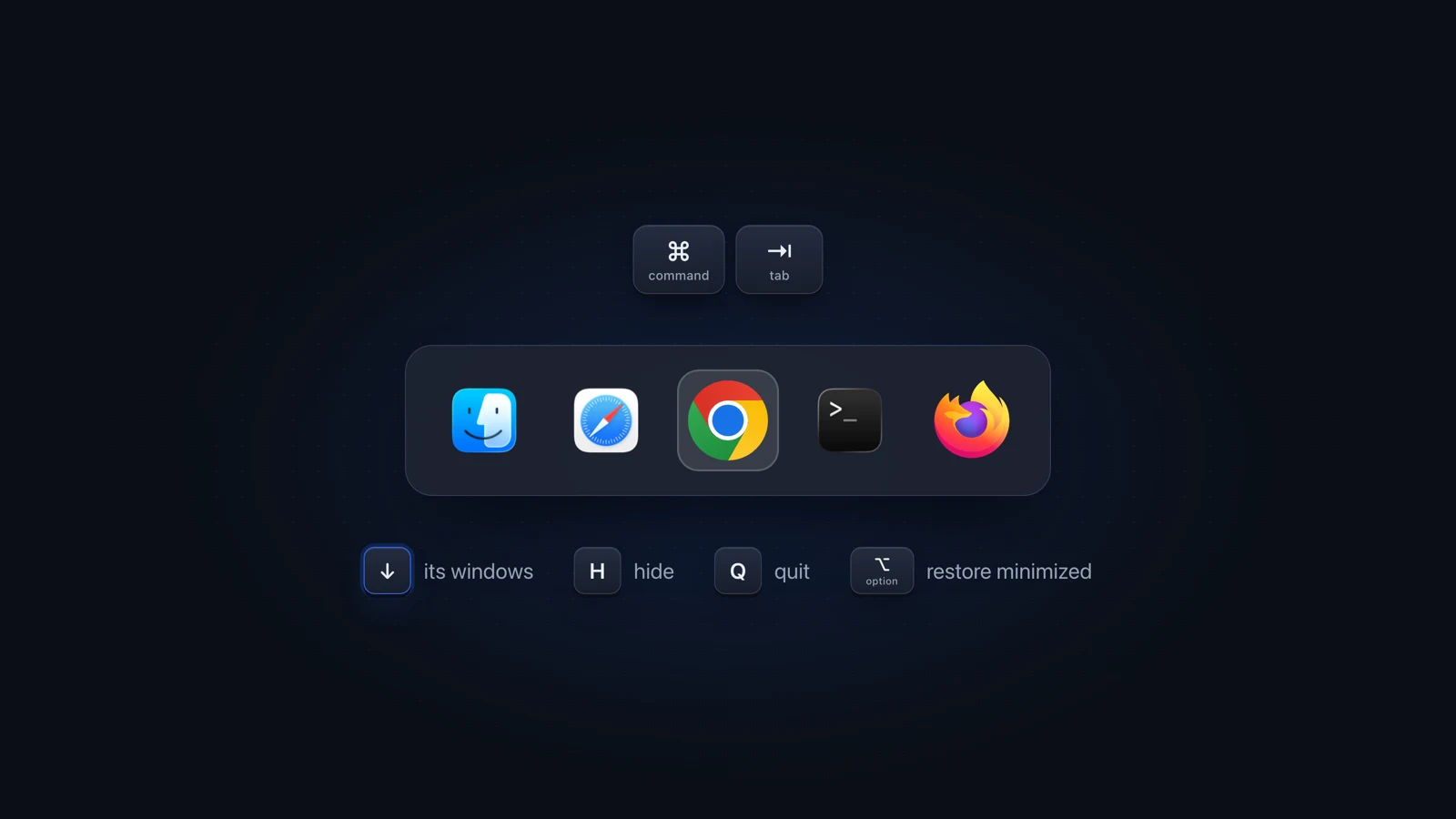
For a better Command-Tab on a Mac, use the keys it already has: while it is open, press Down Arrow to see an app's windows, H to hide it, Q to quit it, and hold Option as you let go of Command to bring back a minimized window. For every window of every app, add a switcher on Option-Tab.
Julien Schweter Updated 6 min read
The short version
- Command-Tab switches apps, not windows, and lands on the last window you used.
- Press Down Arrow while it is open to see one app's windows.
- Command-backtick cycles the windows of the app you are in.
- A Desktop & Dock setting decides whether it jumps to another desktop.
- AltTab (free) and Better Window Switcher add a window switcher on Option-Tab and leave Command-Tab alone.
Command-Tab can show windows, one app at a time, once you press the Down Arrow.
-
Hold Command and tap Tab to the app
Keep holding Command.
-
Press the Down Arrow
That app's windows spread out across the screen, like App Exposé.
-
Pick the window
Move with the arrow keys and press Return, or click it.
Usually nothing is broken: Command-Tab brings an app forward, and with it the window you used last.
| Item | Why | Fix |
|---|---|---|
| You land on the wrong window of the app | It always brings the window you used last | Press Down Arrow before you let go, or Command-Backtick after |
| A minimized window stays in the Dock | Switching to an app does not restore minimized windows | Hold Option as you let go of Command |
| It no longer jumps to the desktop the app is on | A setting in Desktop & Dock turns this on or off | Turn it back on, steps below |
| Command-backtick does nothing | On some keyboard layouts it sits on another key | Check "Move focus to next window" in Keyboard Shortcuts |
One setting decides whether Command-Tab follows an app to another desktop. It is on by default.
-
Open System Settings, then Desktop & Dock
Scroll down to the Mission Control group.
-
Find "When switching to an application, switch to a Space with open windows for the application"
-
Turn it on or off
On: Command-Tab takes you to a desktop where that app has windows open. Off: you stay on the desktop you are on.
- To keep an app on every desktop, Control-click its Dock icon, choose Options, then All Desktops under Assign To.
- Turn on "Group windows by application" in the same group to stack each app's windows together in Mission Control.
- To change the Command-backtick key, go to System Settings, Keyboard, Keyboard Shortcuts, Keyboard, and find "Move focus to next window".
The desktop settings are on Apple's page about working in multiple spaces.
Once Command-Tab has you in the right app, these built-in shortcuts pick the window.
| Item | Shortcut | What it does |
|---|---|---|
| Command-backtick | Command-Backtick | Next window of the app you are in. Add Shift to go back |
| App Exposé | Control-Down Arrow | All of the front app's windows, minimized ones along the bottom |
| Mission Control | Control-Up Arrow | Every window on the current desktop |
| Hide others | Option-Command-H | Hides every app except the one in front |
| Minimize all | Option-Command-M | Minimizes all of the front app's windows |
AltTab and Better Window Switcher are window switchers that run on Option-Tab. They show every window at once, and Command-Tab goes on switching apps.
| Item | All windows | Minimized | Search | Tabs |
|---|---|---|---|---|
| Command-Tab | One app, via Down Arrow | With Option | ||
| AltTab Free and open source | Pro tier only | |||
| Better Window Switcher Only the selected card is live | 7 browsers |
Both start on Option-Tab and leave Command-Tab alone. If you want Command-Tab itself replaced, look at BetterCmdTab, a free, open-source app by Artur Rok. It is a separate project with no connection to Better Window Switcher.
Questions people ask
How do I make Command-Tab show all windows?
It shows one app's windows at a time. Hold Command, tab to the app, and press the Down Arrow: its windows spread out and you pick one with the arrows and Return. To see the windows of every app in one view, add a switcher such as AltTab or Better Window Switcher. Both run on Option-Tab.
Why does Command-Tab not switch between windows?
It is an app switcher, so it shows one icon per open app and brings that app forward with the window you used last. To reach another window of the same app, press Command-backtick, or press the Down Arrow while the Command-Tab row is still open. Mission Control or an add-on shows the windows of different apps together.
How do I stop Command-Tab from jumping to another desktop?
Open System Settings, Desktop & Dock, and turn off "When switching to an application, switch to a Space with open windows for the application". Command-Tab then leaves you on the desktop you are on. To keep one app on every desktop instead, Control-click its Dock icon, choose Options, then All Desktops under Assign To.
How do I open a minimized window with Command-Tab?
Hold Option as you let go of Command. Without Option, the app comes forward but its minimized windows stay in the Dock. Control-Down Arrow works too: App Exposé lists minimized windows along the bottom. Or click the window in the Dock.
Is there a better Command-Tab for Mac?
Yes, and they come in two kinds. AltTab (free) and Better Window Switcher add a window switcher on Option-Tab and leave Command-Tab as it is. BetterCmdTab, a free open-source app by another developer, takes over Command-Tab itself. Before you install anything, try the keys Command-Tab already has: Down Arrow for windows, H to hide, Q to quit.
Is BetterCmdTab the same as Better Window Switcher?
No. BetterCmdTab is a separate free, open-source app by Artur Rok that runs on the Command-Tab shortcut itself. Better Window Switcher is made by KSK IT, runs on Option-Tab beside Command-Tab, and shows windows and browser tabs as 3D cards. It is a one-time purchase with a 7-day free trial.
Checked on macOS Tahoe 26, Apple support pages checked September 2026.
Read next
 Windows on Mac Switch windows on a Mac Switch between windows on a Mac with Command-backtick, Mission Control or App Exposé: what each built-in shortcut shows, and what to add past a few windows.
 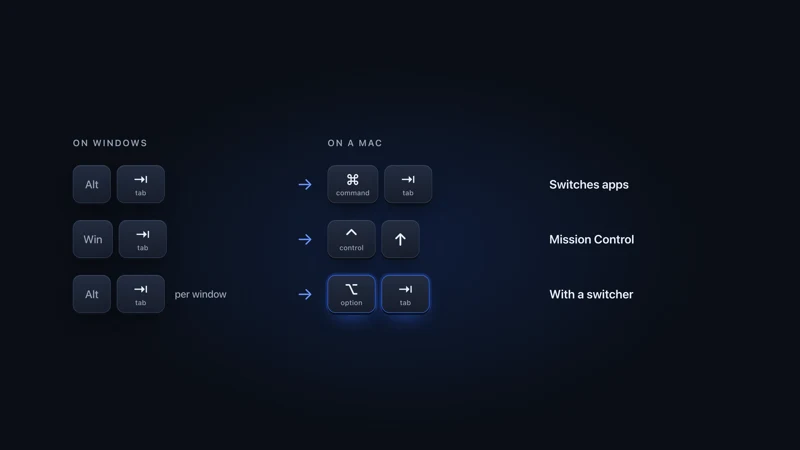 From Windows to Mac Alt-Tab on a Mac How to Alt-Tab on a Mac: Command-Tab switches apps and Command-backtick switches windows. The Windows shortcuts you know, with their Mac keys from Apple.
 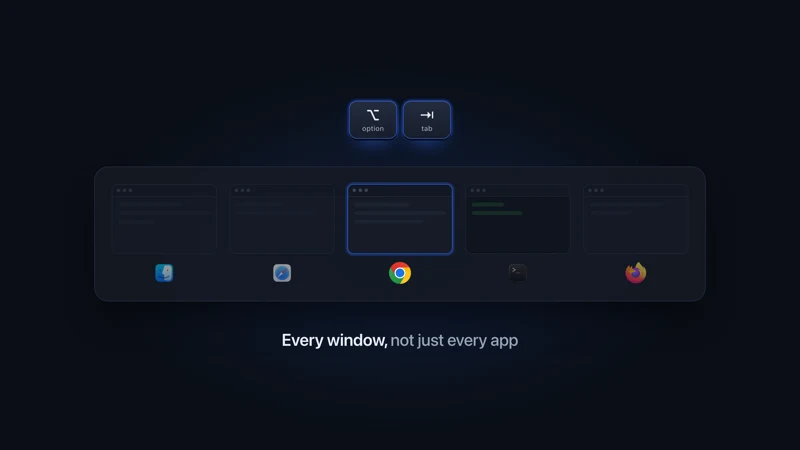 Mac window switchers Window switchers for Mac The best window switchers for Mac side by side: AltTab, Contexts, Witch, HyperSwitch and Raycast on previews, search, other desktops, tabs and price.
 - Comparison vs AltTab A flat row of thumbnails vs a 3D scene you search in seconds.
More comparisons
Compare to other popular apps