Mac window switchers
The best window switchers for Mac, compared
The quick answer
The best window switchers for Mac are AltTab (free, with previews), Contexts (a fast searchable list), Witch (lists that include browser tabs), Raycast Switch Windows (free, inside a launcher) and Better Window Switcher (3D previews, search and browser tabs). HyperSwitch is free but still a beta, last updated in February 2024.
Julien Schweter Updated 6 min read
The short version
- For a few windows, Command-Tab plus Command-backtick is enough.
- AltTab is free with previews; search needs its paid Pro tier.
- Contexts and Raycast Switch Windows find a window when you type its name.
- Witch and Better Window Switcher also switch to browser tabs.
- HyperSwitch still works, but its last release was February 2024.
AltTab and HyperSwitch show window pictures, Contexts shows a text list, and Witch and ours also switch to browser tabs. "Not stated" means the vendor does not say.
| Item | Previews | Search | Browser tabs | Other desktops | Minimized |
|---|---|---|---|---|---|
| AltTab | Pro tier only | ||||
| Contexts | Text list | ||||
| Witch Safari, Chrome, Edge and more; Firefox not listed | Lists, mini previews | ||||
| HyperSwitch Beta 0.3.10, last release February 2024 | Not stated | ||||
| Raycast Switch Windows Store extensions add tab search separately | Not stated | Title or app name | Not stated | Not stated | |
| Mission Control | Thumbnails only | In the Dock | |||
| Command-Tab | Apps only | Apps only | |||
| Better Window Switcher Other cards show a recent picture | Selected card live | 7 browsers, Firefox too |
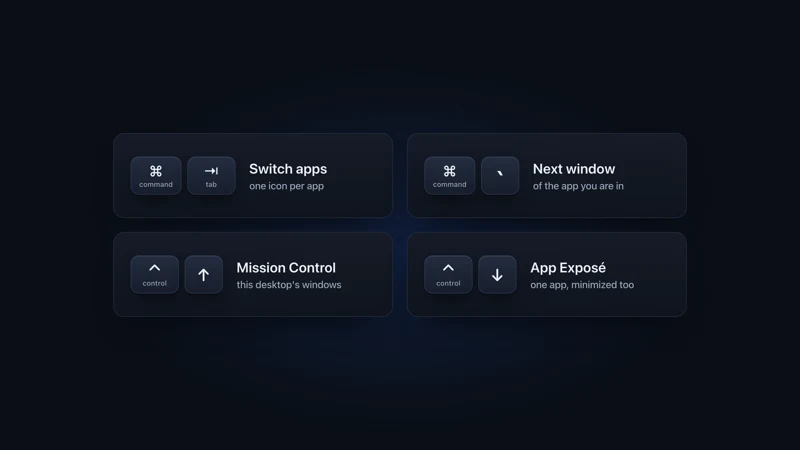
Not with a handful of windows. macOS has four built-in shortcuts for switching, each with a limit.
| Item | Shortcut | What it does | Where it stops |
|---|---|---|---|
| Command-Tab | Command-Tab | Switches to the next app | One icon per app, no windows |
| Command-backtick | Command-Backtick | Cycles windows of the app you are in | No pictures, one app at a time |
| Mission Control | Control-Up Arrow | Shows the windows on your desktop | Other desktops are thumbnails, no search |
| App windows | Control-Down Arrow | Shows the front app's windows | One app, no search |
A switcher pays off with ten or more windows, several desktops, or a browser full of tabs. Mission Control shows other desktops only as thumbnails, and none of the four shortcuts lets you type a window's name.
Each card links to a full comparison with ours.
AltTab
Free, Pro 9.99 or 24.99 USDBest for Free window previews in a Windows-style row
Free, open source and actively developed. Its row or grid of thumbnails includes minimized windows and other desktops. Search and extra shortcuts are in AltTab Pro, a one-time purchase. It does not show browser tabs.
Contexts
9.99 USD onceBest for Reading window titles and jumping by typing
A text list of window titles, across all Spaces. Hold a key, type a letter or two, and the list narrows. Its site names macOS up to Sequoia, and its last release is from August 2022.
Witch
14 USD onceBest for Apps, windows and tabs in one list
Witch is from Many Tricks, at version 4.7 (December 2025). It has horizontal, vertical or menu bar lists, with search built in. Browser tabs appear in the list too. Its FAQ names Safari, Chrome, Edge, Orion and iCab, its release notes add Opera, and neither lists Firefox.
HyperSwitch
FreeBest for A plain, free row of window previews
Free window previews in a row, still in beta with no release since February 2024. Its own notes say previews are sometimes slow. It skips minimized windows and has no search or browser tabs.
Raycast Switch Windows
Free, Pro 96 USD a yearBest for People who already run Raycast for everything
A command in the Raycast launcher, in its free tier. It lists your windows, and you filter them by title or app name. Raycast Pro is a subscription.
Better Window Switcher
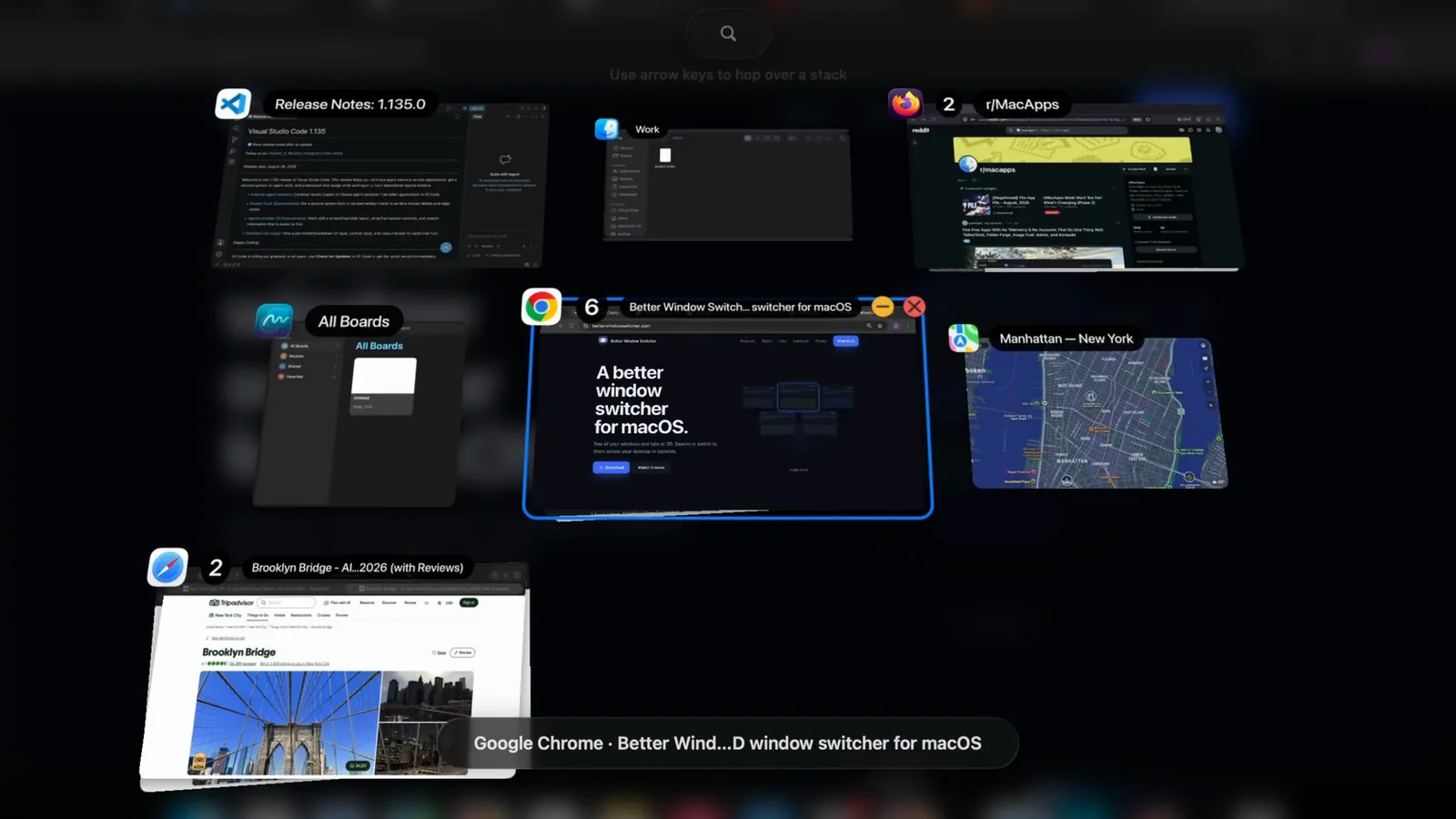
19.99 once, 2 MacsBest for Seeing windows and browser tabs as 3D cards, then typing
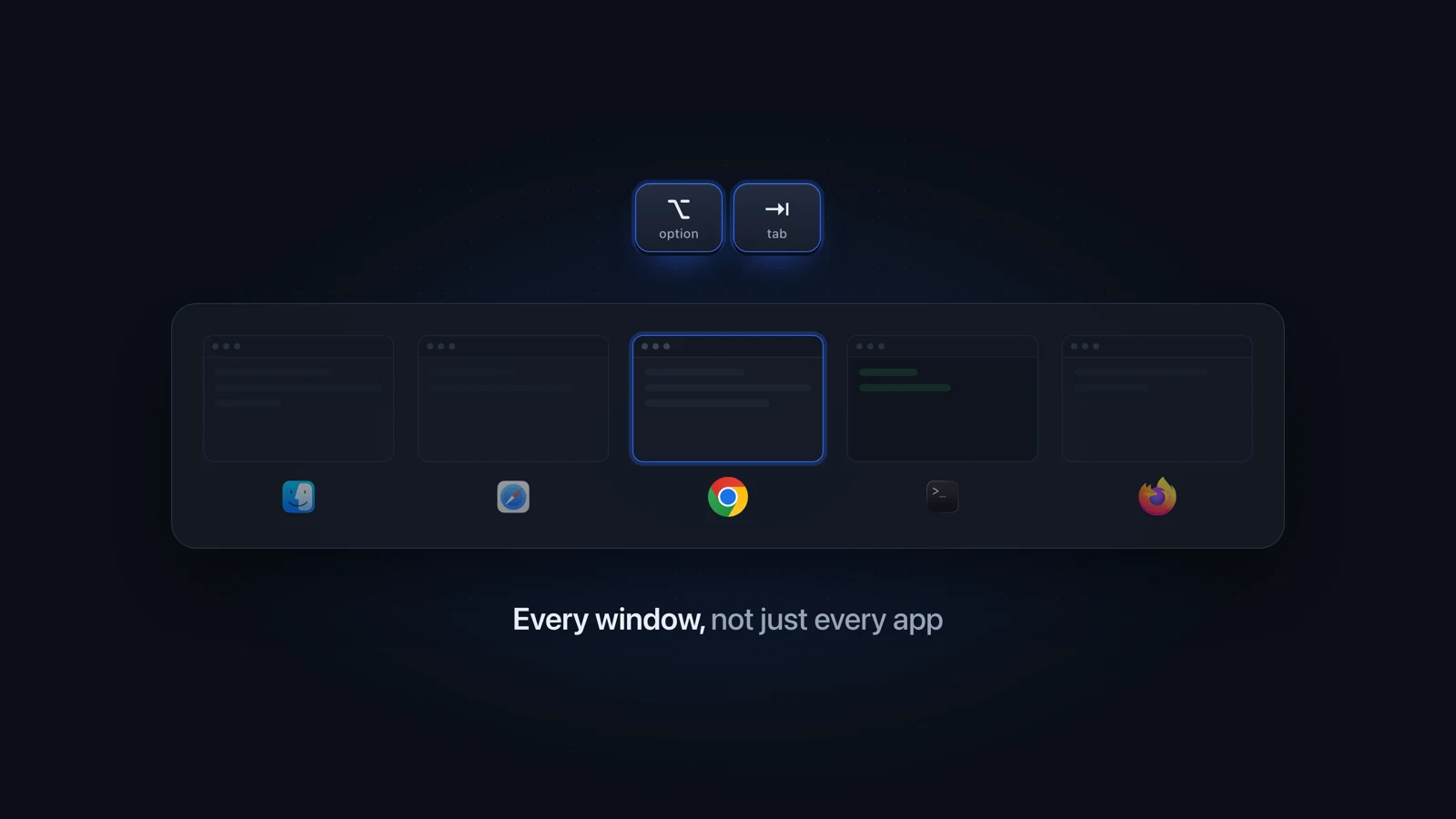
Your windows and browser tabs become cards in one of seven 3D arrangements, and you can search both. It runs on Option-Tab beside Command-Tab and needs macOS 14 or later on Apple Silicon.
Not actively. It still launches, but it has had no update since February 2024.
- Still labeled a beta, at version 0.3.10.
- The newest macOS its notes mention is Sonoma, two releases before macOS Tahoe 26.
- Its known-issues list says there is no option to show minimized windows.
The closest free HyperSwitch alternative is AltTab, with the same row of previews plus minimized windows. For search and browser tabs too, see HyperSwitch compared with Better Window Switcher.
| Item | Pick | Why |
|---|---|---|
| You want free window previews | AltTab | Previews, other desktops and minimized windows, free |
| You read titles faster than you scan pictures | Contexts | You search a list of titles |
| You already live in Raycast | Raycast Switch Windows | Nothing new to install |
| You want a Mission Control alternative with search | AltTab Pro or Better Window Switcher | Both let you type to find a window |
| You want an AltTab alternative that shows tabs | Witch or Better Window Switcher | Both can switch to browser tabs |
| You mostly switch tabs, not windows | A tab switcher | See tab switchers for Mac |
Better Window Switcher, which we make, shows each window as a 3D card with its picture.
Questions people ask
What is the best window switcher for Mac?
For free window previews, AltTab is the best pick. Contexts is fastest if you'd rather read titles than scan pictures. Witch and Better Window Switcher also switch to browser tabs, and Better Window Switcher lays windows out as 3D cards. With only a few windows, Command-Tab and Command-backtick are enough.
Is there a free window switcher for Mac?
Yes. AltTab is free, open source and shows window previews, with search in its paid Pro tier. HyperSwitch is free but has not been updated since February 2024. Raycast's Switch Windows command is in its free tier and finds windows by title or app name. Mission Control and Command-Tab are built in.
Is there a Mac window switcher with previews like Alt-Tab on Windows?
Yes. AltTab shows a row of window thumbnails, much like Alt-Tab on Windows, and HyperSwitch has previews too. Better Window Switcher draws each window as a 3D card: the selected one is live and the others show a recent picture. Command-Tab only shows app icons.
What is a good HyperSwitch alternative?
AltTab is the closest free replacement: the same kind of preview row, and unlike HyperSwitch it shows minimized windows. HyperSwitch is still a beta, last released in February 2024. Better Window Switcher adds search and browser tabs and is tested on macOS Tahoe 26.
What is the best Mission Control alternative for Mac?
Pick a switcher you can type into: AltTab Pro, Contexts, Witch or Better Window Switcher. Each finds a window by name, which Mission Control cannot do. Mission Control also shows other desktops only as thumbnails and leaves minimized windows in the Dock.
Can a window switcher replace Command-Tab?
Some can. Contexts and Witch can both be set to take over Command-Tab. Better Window Switcher leaves Command-Tab alone: it runs on Option-Tab beside it, so the shortcut you already know keeps switching apps and the new one switches windows and tabs.
Checked on macOS Tahoe 26, Witch 4.7, HyperSwitch beta 0.3.10, vendor sites checked September 2026.
Read next
 Windows on Mac Switch windows on a Mac Switch between windows on a Mac with Command-backtick, Mission Control or App Exposé: what each built-in shortcut shows, and what to add past a few windows.
 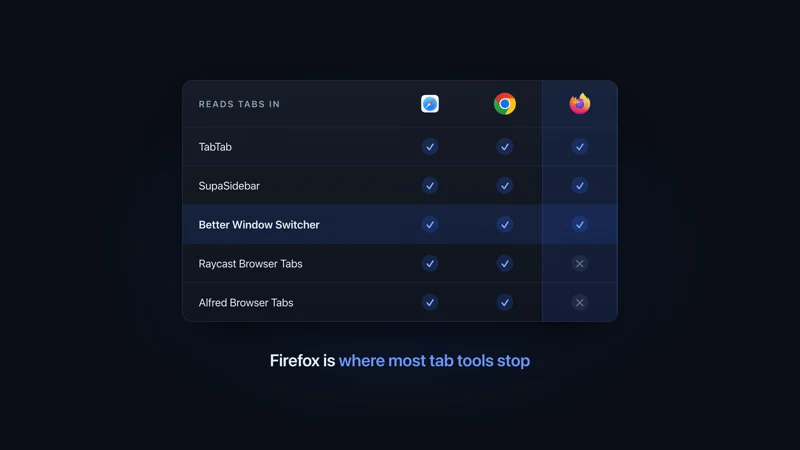 Tab apps for Mac Tab switchers for Mac, compared Tab switchers for Mac compared by browser: which ones read Safari, Chrome, Firefox and Arc tabs, which switch windows too, and what each one costs.
 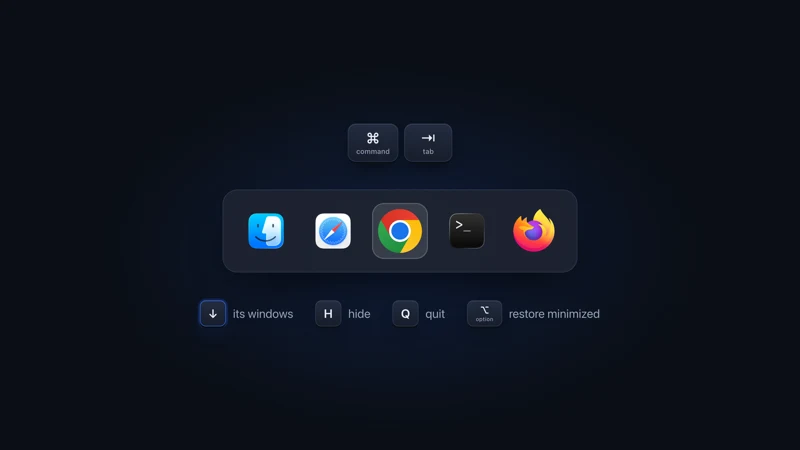 Mac app switching Get more out of Command-Tab Get a better Command-Tab on Mac: press Down Arrow for an app's windows, H to hide, Q to quit, fix desktop jumps, or add a switcher on Option-Tab.
 - Comparison vs AltTab A flat row of thumbnails vs a 3D scene you search in seconds.
More comparisons
Compare to other popular apps