Safari on Mac
How to search Safari tabs in all windows on a Mac
The quick answer
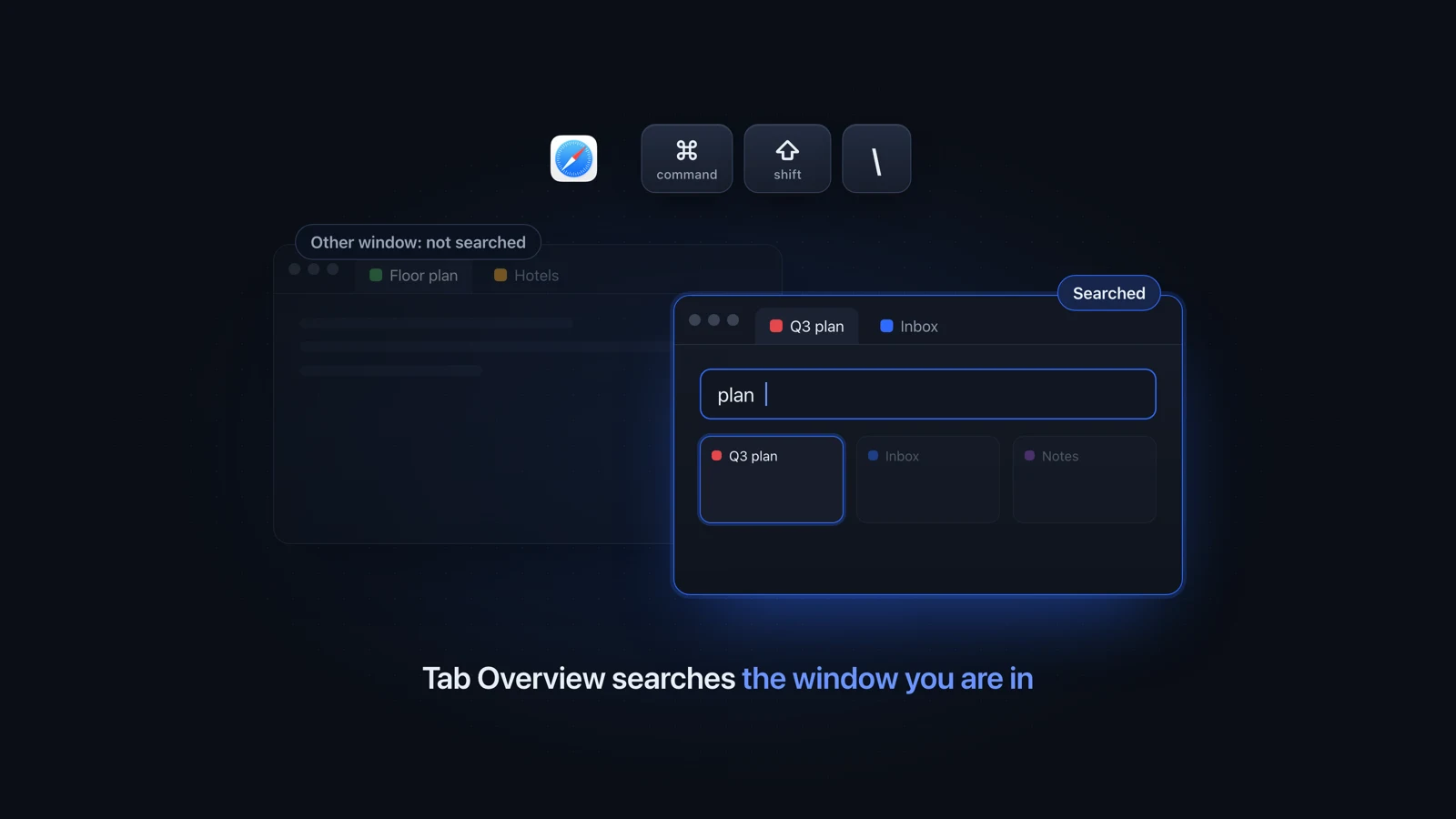
To search Safari tabs on a Mac, press Command-Shift-Backslash to open Safari's Tab Overview, then type. It filters the tabs in your current window, plus iCloud tabs from your other devices, and skips your other Safari windows. To search every window, choose Window, Merge All Windows first, or use a switcher that reads them all.
Julien Schweter Updated 6 min read
The short version
- Command-Shift-Backslash opens Tab Overview. Type to filter the tabs.
- Tab Overview only searches the window you opened it in.
- Window, Merge All Windows gathers every tab into one searchable window and throws away your layout.
- The address bar lists an already open tab under Switch to Tab.
- Without merging, searching every window takes an extension or a switcher.
Safari's Tab Overview filters the front window's tabs as you type.
-
Press Command-Shift-Backslash
The tabs turn into thumbnails. On a trackpad, pinch closed instead.
-
Type part of the page name
The thumbnails narrow as you type. Tabs you have open on your iPhone, iPad or other Macs show up too, through iCloud.
-
Click the tab you want
Safari opens it full size.
If you also use Chrome or Firefox, find any open tab on your Mac goes through each browser and where its search stops.
Merge your Safari windows into one, then search that window. Apple describes the command on its arrange tabs page.
-
Choose Window, then Merge All Windows
The tabs from every open Safari window move into one window.
-
Press Command-Shift-Backslash and type
Tab Overview now covers every tab.
-
Split them later, one tab at a time
Select a tab and choose Window, Move Tab to New Window, or drag the tab out of the window.
If merging is more than you want, these free habits help without it:
- Type the site in the address bar. Apple's guide says that when an address is already open in a tab, it appears under Switch to Tab. Choose that entry to jump to the open tab.
- Step through your windows. Command-Backtick moves to the next Safari window, where you open Tab Overview and type again. That is fine for two windows and slow for six.
- Open fewer windows. In Safari Settings, Tabs, set "Open pages in tabs instead of windows" to Always, and links stop opening new windows.
Usually the tab is open somewhere Tab Overview does not look.
- The tab is in another window. Press Command-Backtick to go to the next Safari window and search there.
- The tab is in another Tab Group. Tab Overview shows the tabs of one Tab Group at a time. Pick the right group in the sidebar first.
- Safari closed it for you. "Automatically close tabs" in Safari Settings, Tabs can close tabs after a day, a week or a month. Look in History, Recently Closed.
- It is a private tab on another device. Apple's guide says iCloud Tabs leave out private tabs and windows.
Apple's list of Safari shortcuts gives these keys for tabs and windows on a US keyboard.
| Item | Shortcut |
|---|---|
| Show all tabs (Tab Overview) | Command-Shift-Backslash |
| Next tab | Control-Tab |
| Previous tab | Control-Shift-Tab |
| One of your first eight tabs Turn it on in Safari Settings, Tabs | Command-1 to Command-8 |
| Your last tab Same setting | Command-9 |
| Next Safari window | Command-Backtick |
| Reopen the last closed tab | Command-Shift-T |
Safari extensions such as TabPilot search every Safari window. Mac-wide switchers also reach the windows of your other apps.
| Item | Safari | Browsers | Other apps |
|---|---|---|---|
| Safari's Tab Overview Front window only. Free, built in | |||
| Merge All Windows, then Tab Overview Free, costs your layout | |||
| Safari extensions such as TabPilot App Store | |||
| Witch 14 USD. Firefox is missing from its list of browsers | |||
| TabTab Free for 5 recent items, then from 18.99 USD | |||
| Better Window Switcher One-time purchase |
If Safari is your only browser, an extension is enough. The tab switchers for Mac roundup compares the other tools browser by browser.
Questions people ask
How do I search all open tabs in Safari?
Press Command-Shift-Backslash to open Tab Overview, then type part of the page name. That searches the window you are in and your iCloud tabs. To cover every Safari window, choose Window, Merge All Windows first and search once. Without merging, you need a Safari extension or a Mac-wide switcher that reads every window.
Can Safari search all tabs at once?
Only within one window. Tab Overview filters the tabs of the window you are in, plus tabs from your other Apple devices, and leaves out your other Safari windows on the same Mac. The only built-in way to search them all at once is to merge every window into one first.
What is the shortcut for Safari Tab Overview?
Command-Shift-Backslash, which Apple writes as Shift-Command-\. You can also pinch closed on a trackpad. On keyboard layouts other than US the backslash key may sit somewhere else, so if nothing happens, check the shortcut Safari lists next to the command in its menus.
Why does Safari tab search not find a tab I know is open?
Usually because the tab is in another Safari window, and Tab Overview only searches the front one. It also shows one Tab Group at a time, so it misses a tab in another group. If the tab is gone entirely, check History, Recently Closed, and the "Automatically close tabs" option in Safari Settings, Tabs.
How do I change Safari to show all tabs?
Press Command-Shift-Backslash to see every tab in the window as a thumbnail. For names in the tab bar, open Safari Settings, Tabs and turn on "Always show website titles in tabs", so titles stay visible even with many tabs open. Tabs from all your windows only appear together after Window, Merge All Windows.
How do I undo Merge All Windows in Safari?
Safari has no single undo command for it. Select a tab and choose Window, Move Tab to New Window, or drag the tab out of the tab bar onto the desktop, then repeat for each window you want back. To move several tabs together, Command-click them first.
Does Better Window Switcher show Safari tabs?
Yes. Each Safari window appears as one pile of its tabs, and typing a site name or page title finds the tab in any Safari window. Chrome, Safari and Firefox are tested on real Macs. A Safari tab shows Safari's icon until the switcher has seen that tab in front, because the app does not ask for Full Disk Access.
Checked on Safari 26.5 on macOS Tahoe 26, and Apple's Safari User Guide for Safari 27.
Read next
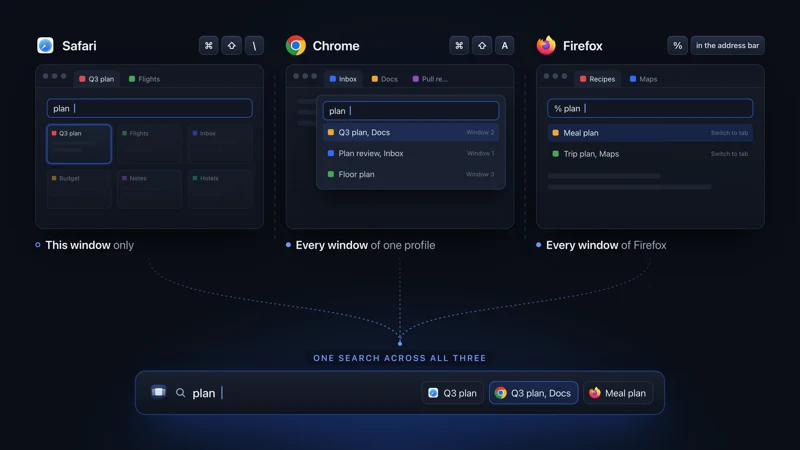 Tabs on Mac See all open tabs on a Mac How to see all open tabs on a Mac: Command-Shift-A in Chrome, % in Firefox, Tab Overview in Safari, and what to use when your tabs span several browsers.
 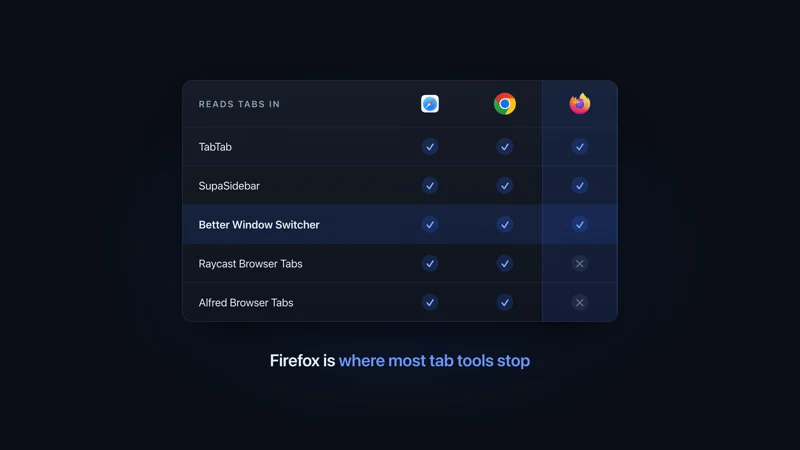 Tab apps for Mac Tab switchers for Mac, compared Tab switchers for Mac compared by browser: which ones read Safari, Chrome, Firefox and Arc tabs, which switch windows too, and what each one costs.
 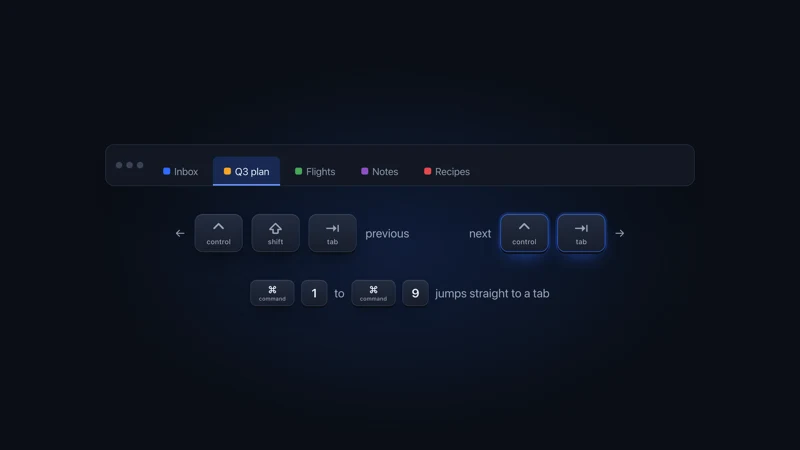 Tabs on Mac Every tab shortcut on a Mac How to switch tabs on a Mac in Safari, Chrome, Firefox, Edge, Brave and Arc: next and previous tab, tab by number, last used tab, from each maker's docs.
 - Comparison vs TabTab Deep tab coverage vs a 3D scene with nothing held back.
More comparisons
Compare to other popular apps