Chrome on Mac
How to switch between Chrome windows on a Mac
The quick answer
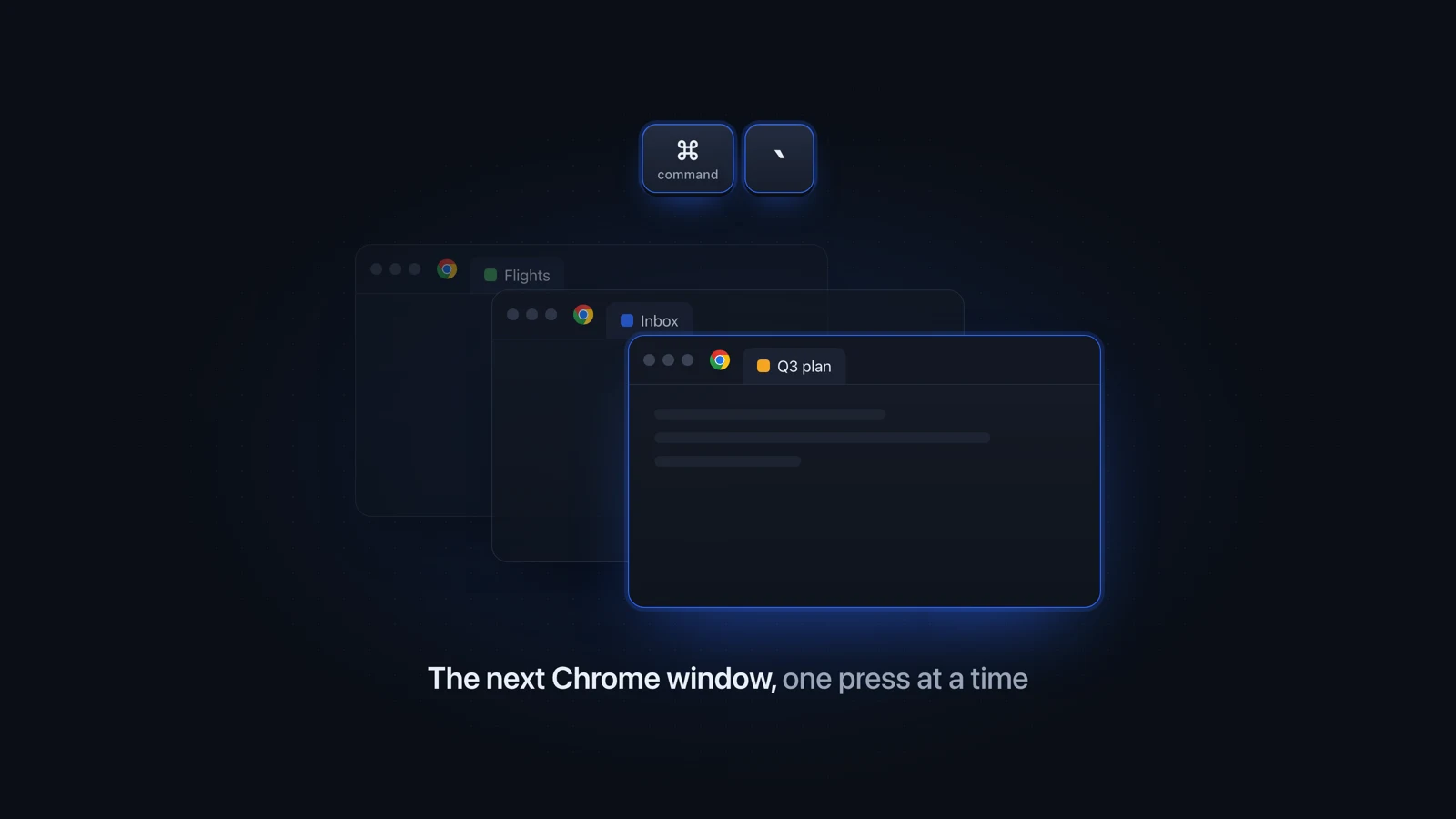
To switch between Chrome windows on a Mac, press Command-Backtick (the key above Tab on a US keyboard) to bring the next one forward, and Command-Shift-Backtick to go back. Chrome's Window menu lists every open window by title, and Control-Down Arrow opens App Exposé with all of them side by side.
Julien Schweter Updated 6 min read
The short version
- Command-Tab switches apps, so four Chrome windows share one icon there.
- Command-Backtick cycles Chrome windows. On German and French keyboards the key sits next to the left Shift.
- The Window menu lists every Chrome window by title. Control-Down Arrow shows them all at once.
- Name your windows and those lists show "Work" and "Personal" where the page titles were.
- Chrome's Tab Search, on Command-Shift-A, finds a tab in any window of one profile.
- A full-screen window has its own space. Reach it from Mission Control.
Command-backtick is fastest but shows nothing on screen. The slower ways show you what is open.
| Item | Keys or place | What happens | Minimized windows |
|---|---|---|---|
| Next window | Command-Backtick | The next Chrome window comes to the front. Nothing appears on screen. | Skipped |
| Previous window | Command-Shift-Backtick | The same, in the other direction. | Skipped |
| App Exposé | Control-Down Arrow | Every Chrome window spreads out. Click the one you want. | In a row along the bottom |
| Window menu | Window, in the menu bar | A list of every window by title. A checkmark marks the front one. | Listed, marked with a diamond |
| Dock | Right-click the Chrome icon | The same list of titles. | Listed |
| App switcher | Command-Tab | Brings Chrome forward on the window you used last. You cannot pick another. | Only if you hold Option as you let go |
If it is one tab you are after, find any open tab on your Mac goes through each browser's own tab search. For other apps' windows, read how to switch between windows on a Mac.
Chrome lets you give a window a name of your own, and then shows that name instead of the page title.
-
Right-click the empty space next to the New Tab button
Or open the three-dot menu at the top right, then More tools.
-
Choose Name window, type a name, and confirm
Name it for the job it does, like Mail or Research.
-
Open the Window menu to check
The name replaces the page title there, over a minimized window in the Dock, and in the "Move tab to another window" list.
Google's help page on managing tabs in Chrome has the steps.
Each profile opens its own windows. Command-backtick still cycles through all of them, while Tab Search and moving tabs stay inside one profile.
| Item | Same profile | Other profile |
|---|---|---|
| Command-backtick | ||
| Chrome's Tab Search | ||
| Move tab to another window Google: both windows must use the same profile. |
Press Command-Shift-A for Chrome's Tab Search, or type @tabs in the address bar. It searches the tabs in every window of the profile you are in. The Chrome Tab Search guide explains where its button went and what it cannot find. Keyboard shortcuts for tabs are in every tab shortcut on a Mac.
-
Your keyboard is not a US one
The shortcut is on a different key. Pick your layout above the first table, or read the key off the setting in the next step.
-
The shortcut is turned off
Open System Settings, click Keyboard, then Keyboard Shortcuts, and select Keyboard on the left. Turn on "Move focus to next window" there.
-
The window is minimized
Command-backtick skips minimized windows. Pick it from the Window menu, where a diamond marks it, or press Control-Down Arrow.
-
The window is in full screen
It has moved to a space of its own. Press Control-Up Arrow and click its thumbnail in the Spaces bar, or swipe sideways with three or four fingers.
Apple lists the window shortcuts on its Mac keyboard shortcuts page and explains full-screen apps in working in multiple spaces.
Each built-in way shows only part of that: one window, one desktop, or a list of titles.
Questions people ask
What is the shortcut to switch Chrome windows on a Mac?
Press Command-backtick. On a US keyboard the backtick is the key above Tab; on UK, German and French Mac keyboards it is the key next to the left Shift. Each press brings the next Chrome window to the front, and Command-Shift-backtick goes back. Control-Down Arrow spreads all of Chrome's windows out so you can click one.
Why does Command-Tab only show one Chrome window?
Command-Tab switches between apps, and all your Chrome windows belong to one app, so it brings Chrome forward on the window you used last. To reach the others, press Command-backtick once Chrome is in front, open the Window menu, or press Control-Down Arrow for App Exposé.
Why is switching between Chrome windows on my Mac not working?
The usual cause is the keyboard: on a non-US one the shortcut sits on a different key, often the one next to the left Shift. Next, check that the shortcut is turned on: System Settings, Keyboard, Keyboard Shortcuts, then Keyboard on the left. Command-backtick also skips minimized windows, and a full-screen window lives in its own space.
Can you name Chrome windows on a Mac?
Yes. Right-click the empty space next to the New Tab button and choose Name window, or open the three-dot menu, More tools, Name window. Type a name and confirm. Chrome then shows that name instead of the page title, including in the Window menu and in the "Move tab to another window" list.
How do I see all Chrome windows on a Mac?
Bring Chrome to the front and press Control-Down Arrow. App Exposé spreads out every Chrome window, with minimized ones in a row along the bottom. For a list by title instead, open the Window menu in the menu bar or right-click Chrome in the Dock. Full-screen windows show up as thumbnails in Mission Control's Spaces bar.
How do I quickly switch between Chrome profiles on a Mac?
Click the Profile button at the top right of a Chrome window and choose the profile you want. Each profile opens its own windows, and Command-backtick cycles through all of them, but Chrome's Tab Search only covers the profile you are in. Give each profile its own color and you can tell its windows apart at a glance.
How do I Alt-Tab between Chrome windows on a Mac?
The closest built-in shortcut is Command-backtick, which cycles through the windows of the app in front without showing anything on screen. For an Alt-Tab that shows a picture of every window, two apps run on Option-Tab and leave Command-Tab alone: AltTab, which is free, and Better Window Switcher.
Checked on Chrome 153 and macOS Tahoe 26.5.
Read next
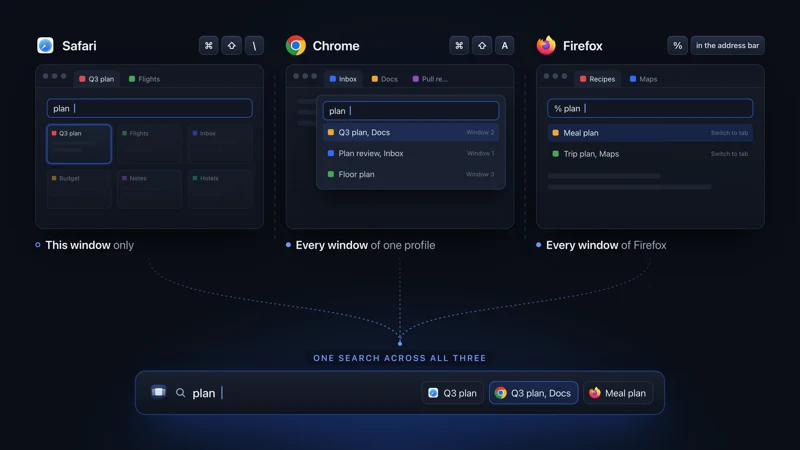 Tabs on Mac See all open tabs on a Mac How to see all open tabs on a Mac: Command-Shift-A in Chrome, % in Firefox, Tab Overview in Safari, and what to use when your tabs span several browsers.
  Chrome on Mac Chrome Tab Search on Mac Chrome Tab Search on a Mac opens with Command-Shift-A and searches every window of one profile. If the button is missing, you can pin it back in Settings.
 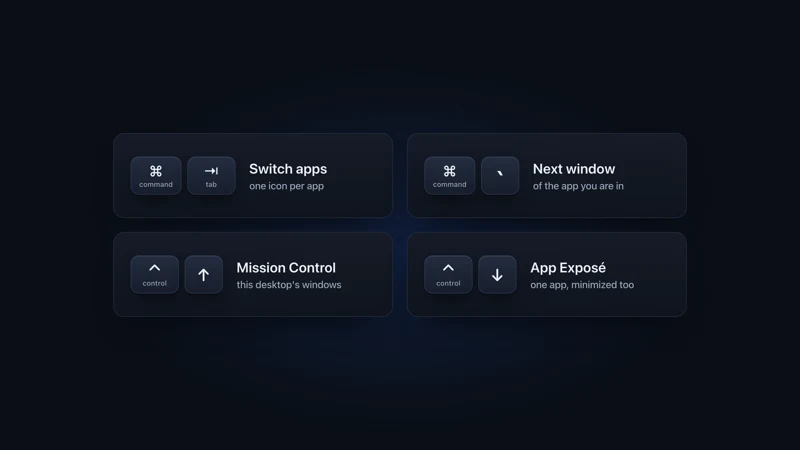 Windows on Mac Switch windows on a Mac Switch between windows on a Mac with Command-backtick, Mission Control or App Exposé: what each built-in shortcut shows, and what to add past a few windows.
 - Comparison vs AltTab A flat row of thumbnails vs a 3D scene you search in seconds.
More comparisons
Compare to other popular apps